Jeu vidéo / Rig et pipeline d'animation

Limen

Le rig du personnage et l'exporteur d'animations vers Unity, pour le jeu de Giulia

BlenderPythonRigifyUnityC#RiggingPipeline d'animationÉquipe

Le projet et la collaboration

Limen est le projet de Giulia, un jeu Unity d’escape game dont le dépôt est le sien : contrôleur du joueur, caméras, décor, shaders (pixel art, dithering). Giulia m’a demandé de faire le rig du personnage et son morph, puis j’ai écrit l’outil qui fait passer ses animations de Blender à Unity. C’est une collaboration : je suis intervenu sur la partie animation.

Cette fiche ne parle donc que de ces deux outils. Le reste du jeu n’est pas de moi.

Le rig
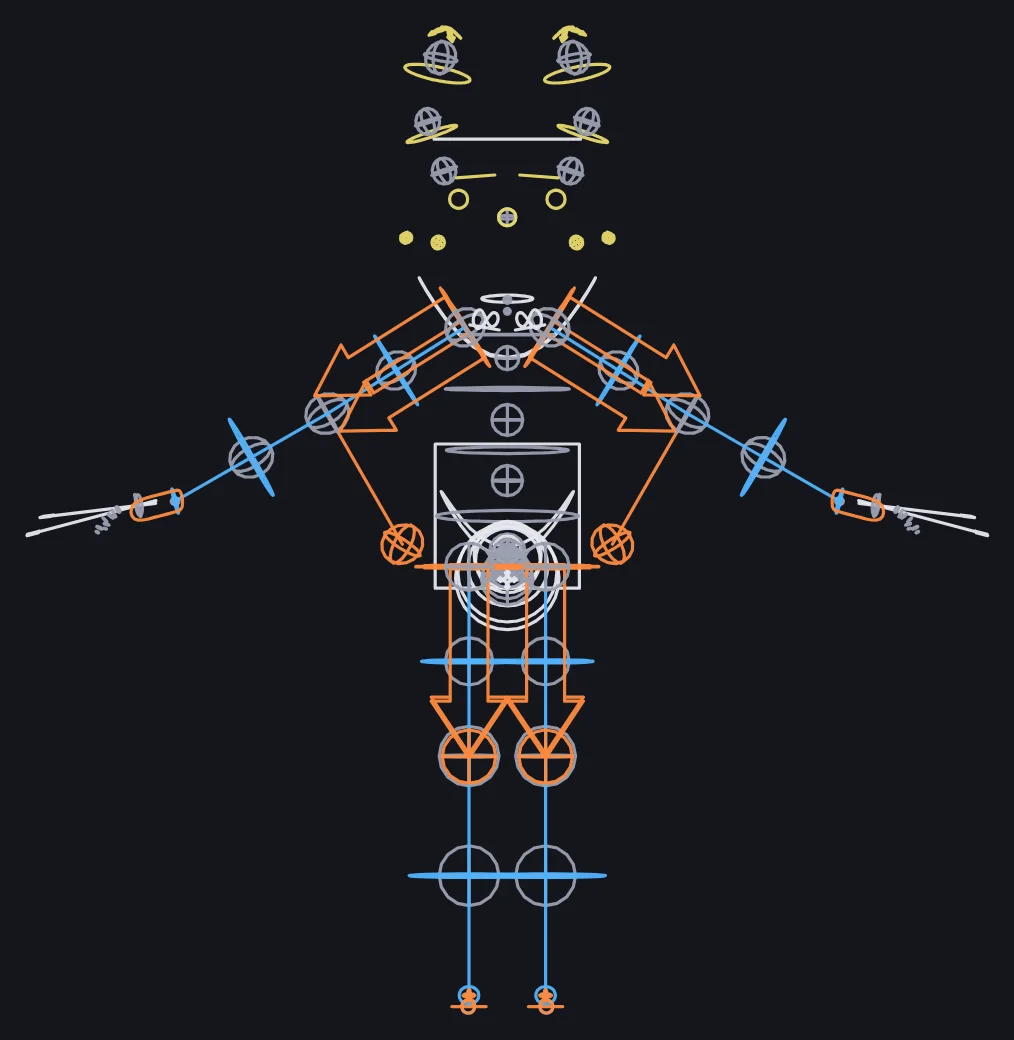
Les contrôleurs du rig vus de face : IK en orange, FK en bleu
Le curseur de morphologie dans Blender : le même rig passe de l'enfant à l'adulte

Le personnage est un raton laveur, et il existe en deux morphologies, enfant et adulte. Le rig est construit avec Rigify, une fois par morphologie, puis un squelette de déformation les relie : chacun de ses os suit à la fois l’os enfant et l’os adulte, et un seul curseur (morph_blend, de 0 à 1) dose le mélange. Les proportions changent donc en direct, y compris sur la pose en cours.
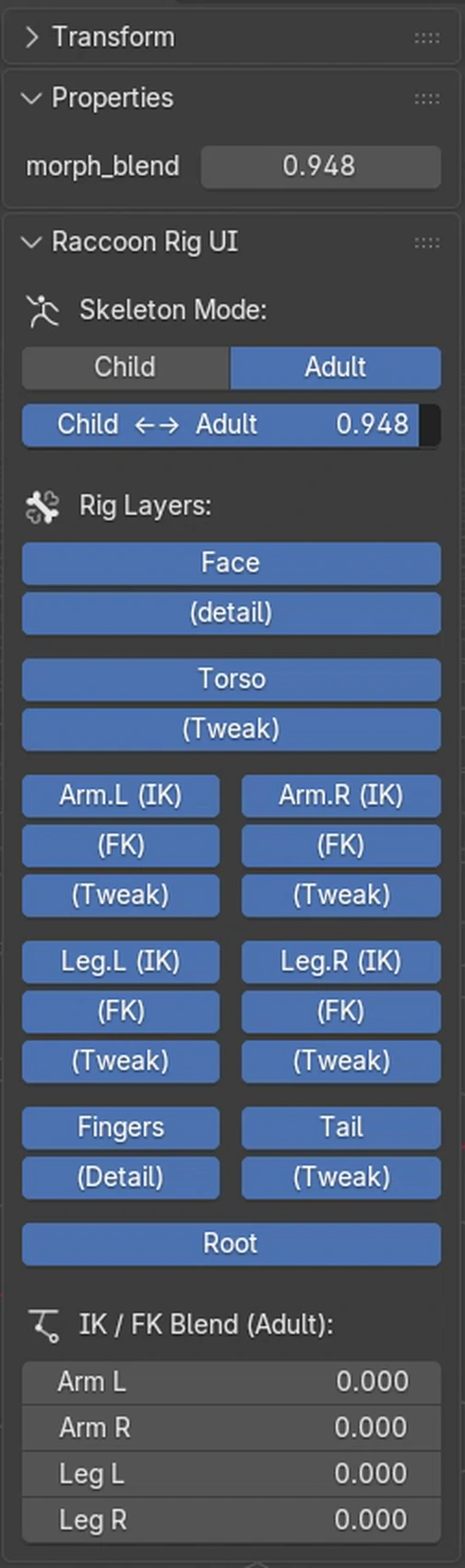
Le panneau du rig : morphologie, calques de contrôles et curseurs IK/FK

Les bras et les jambes ont chacun un curseur IK/FK. J’ai écrit un panneau Blender qui regroupe tout dans le volet latéral : boutons Child et Adult pour afficher l’une ou l’autre morphologie, curseur de morphologie, boutons de visibilité des calques de contrôles, et pour chaque membre le curseur IK/FK avec deux boutons de calage. « IK → FK » et « FK → IK » recalent un mode sur l’autre pour basculer sans faire sauter la pose.

Ce calage, je ne l’ai pas réécrit : j’ai repris le code de Rigify (licence GPL, mentionnée dans le fichier) et je l’ai rendu autonome. Le rig généré par Rigify embarque normalement son propre script d’interface, absent de ma scène.

L'exporteur Unity

Dans Blender, les clips sont des actions, que je gère dans un second panneau : liste de clips, ajout, suppression, duplication, réordonnancement. Chaque clip peut être copié en miroir (les courbes d’un os gauche passent sur l’os droit, avec les axes qu’il faut inverser) ou à l’envers. Un clip vide s’exporte en pose fixe d’une image.

Le bouton d’export écrit un fichier .anim par clip, nommé ANIM_<Personnage>_<nom>, directement dans le dossier d’animations du projet Unity. Les noms viennent d’une convention : l’armature de déformation s’appelle DEF-<Perso>, le rig de contrôle RIG-<Perso>, et l’outil retrouve le personnage à partir de l’objet actif, sans nom écrit en dur.

Pour chaque image, l’exporteur lit la pose finale de chaque os (contraintes et drivers appliqués), la convertit dans le repère d’Unity et l’écrit en courbes de position, rotation et échelle. Les blendshapes du maillage deviennent des courbes blendShape.<nom>, ce qui fait suivre à Unity la forme adulte en même temps que les os.

Le modèle suit le même chemin : « Update Model » écrit un fichier .racmodel (maillage, squelette, blendshapes, yeux et nez rigides), et un petit importeur C# côté Unity le transforme en vrai asset, comme un FBX. Modèle et animations passent par la même conversion, donc ils restent d’accord entre eux.

Les choix et leurs raisons

Mon premier export passait par des FBX. J’ai calibré une conversion contre ces FBX de référence, avec toute une série de scripts de mesure, puis j’ai arrêté : un simple changement de base (Blender est en Z vers le haut, Unity en Y), appliqué de la même façon au modèle et aux animations, rend la calibration inutile. Plus de FBX dans la boucle, plus d’écart à rattraper.
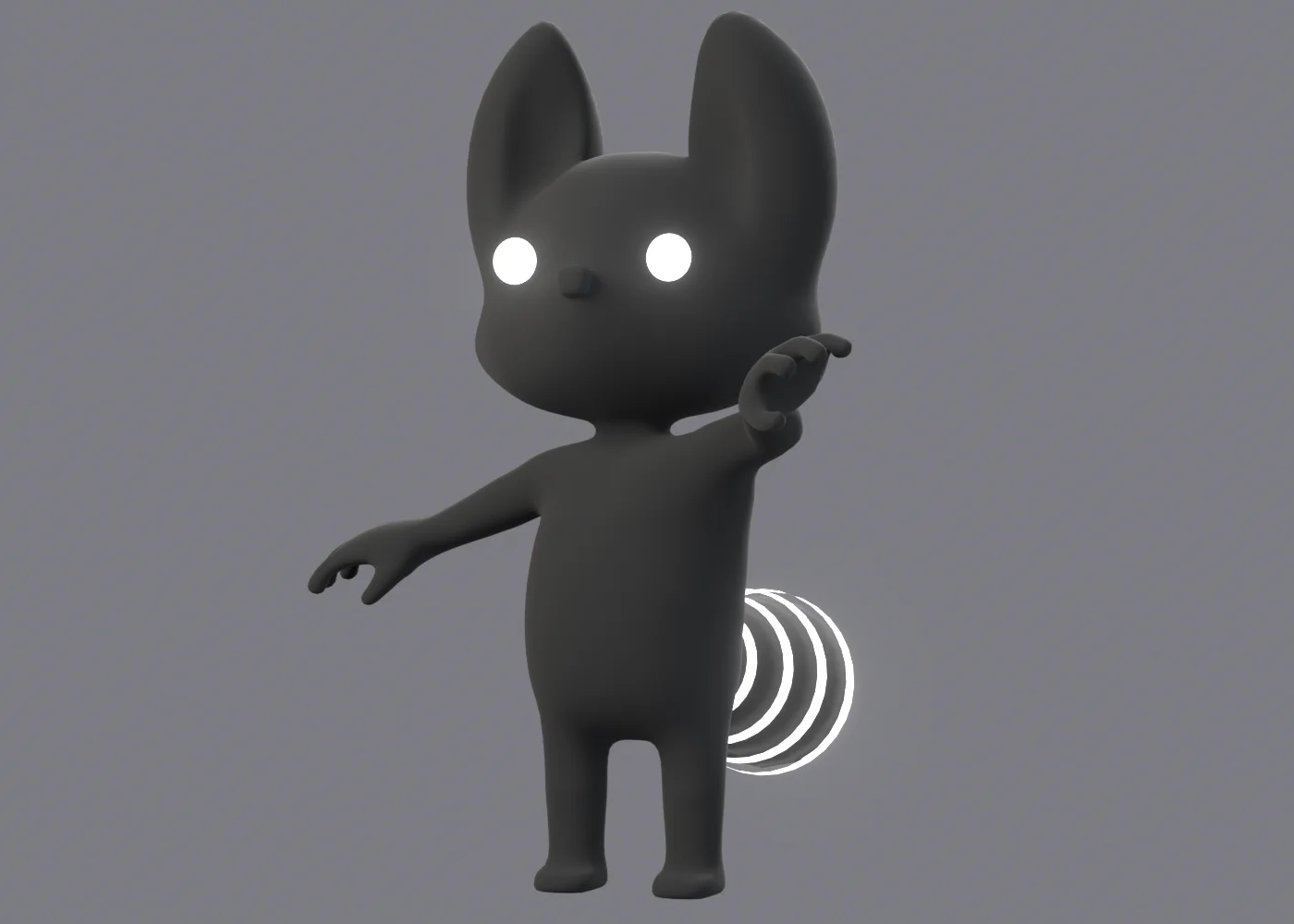
Le raton laveur dans une pose d'un clip d'essai, vue ombrée

L’échelle non uniforme des os pose problème : une fois exportée en position, rotation et échelle, elle écrase les os enfants (du cisaillement) et Unity ne sait pas le rendre. J’ai donc retiré l’étirement des membres (IK_Stretch à 0 par défaut, et la translation de la tête bornée par une contrainte). Les os du squelette de déformation sont déconnectés, de sorte que les proportions adultes viennent de la position des articulations et pas d’une mise à l’échelle.

La forme adulte du corps n’est pas qu’une affaire d’os. Je sculpte la cible à la main, puis un script la « dé-pose » contre la pose adulte du squelette pour en tirer une clé de forme (Adult_shape) pilotée par le même curseur que les contraintes. Unity reçoit les os et cette forme, et retrouve le sculpt.

Ce que ça change

Avant, passer un clip de Blender à Unity voulait dire passer par un FBX, avec un écart de conversion à rattraper à chaque fois. Maintenant, un bouton écrit un .anim par clip, blendshapes compris, directement dans le dossier d’animations du projet Unity. Giulia anime dans Blender et retrouve ses clips dans Unity.

Les limites

L’exporteur échantillonne chaque image : les courbes sont écrites avec des tangentes quasi linéaires, pas avec les courbes de Bézier d’origine. Les os feuilles gardent leur échelle non uniforme (joues, yeux, sourcils), les autres sont aplatis. Le dossier de sortie est fixé dans la configuration, relatif au fichier .blend. Je ne l’ai essayé que sur un personnage, avec quelques clips d’essai et leurs versions en miroir et à l’envers. Le panneau du rig ne couvre que ce personnage : les noms d’os des membres sont écrits dans un fichier de constantes.

État du projet

Le projet est en cours. Mon dernier ajout date du début de juillet : le rig, les blendshapes et l’exporteur marchent sur le personnage d’essai, et la prise en charge du morph dans l’exporteur est récente.

Liens

Équipe

  • Giulia : le projet, le gameplay, le décor et les shaders. Giulia m’a confié le rig du personnage et son morph.
  • Moi : le rig, le morph, l’exporteur d’animations vers Unity.
Video Game / Rig and Animation Pipeline

Limen

The character rig and the animation exporter to Unity, for Giulia's game

BlenderPythonRigifyUnityC#RiggingPipeline d'animationÉquipe

The project and the collaboration

Limen is Giulia’s project, a Unity escape game whose repository is Giulia’s: player controller, cameras, environment, shaders (pixel art, dithering). Giulia asked me to make the character’s rig and its morph, then I wrote the tool that carries its animations from Blender to Unity. It is a collaboration: I worked on the animation side.

This page therefore covers only those two tools. The rest of the game is not mine.

The rig

The rig controls seen from the front: IK in orange, FK in blue
The morph slider in Blender: the same rig goes from child to adult

The character is a raccoon, and it exists in two body types, child and adult. The rig is built with Rigify, once per body type, then a deformation skeleton ties them together: each of its bones follows both the child bone and the adult bone, and a single slider (morph_blend, from 0 to 1) sets the mix. Proportions change live, even on the current pose.

The rig panel: body type, control layers and IK/FK sliders

Arms and legs each have an IK/FK slider. I wrote a Blender panel that gathers everything in the side tab: Child and Adult buttons to show one body type or the other, the morph slider, visibility toggles for the control layers, and for each limb the IK/FK slider with two snap buttons. “IK → FK” and “FK → IK” line one mode up on the other so you can switch without the pose jumping.

I did not rewrite that snapping: I took Rigify’s code (GPL, noted in the file) and made it standalone. A Rigify-generated rig normally ships with its own interface script, which is not in my scene.

The Unity exporter

In Blender, clips are actions, which I manage in a second panel: clip list, add, delete, duplicate, reorder. Any clip can be copied mirrored (the curves of a left bone move to the right bone, with the right axes flipped) or reversed. An empty clip exports as a one-frame static pose.

The export button writes one .anim file per clip, named ANIM_<Character>_<name>, straight into the Unity project’s animation folder. Names follow a convention: the deformation armature is called DEF-<Char>, the control rig RIG-<Char>, and the tool finds the character from the active object, with no hard-coded name.

For each frame, the exporter reads the final pose of every bone (constraints and drivers applied), converts it to Unity’s coordinate system and writes it as position, rotation and scale curves. The mesh blendshapes become blendShape.<name> curves, so Unity follows the adult shape along with the bones.

The model takes the same path: “Update Model” writes a .racmodel file (mesh, skeleton, blendshapes, rigid eyes and nose), and a small C# importer on the Unity side turns it into a real asset, like an FBX. Model and animations go through the same conversion, so they always agree.

Choices and reasons

My first export went through FBX files. I calibrated a conversion against those reference FBXs, with a whole set of measuring scripts, then dropped it: a plain change of basis (Blender is Z-up, Unity is Y-up), applied the same way to the model and the animations, makes calibration unnecessary. No more FBX in the loop, no gap left to catch up.

The raccoon in a pose from a test clip, shaded view

Non-uniform bone scale is a problem: exported as position, rotation and scale, it squashes child bones (shear) and Unity cannot render that. So I removed limb stretching (IK_Stretch defaults to 0, and the head translation is bounded by a constraint). The deformation skeleton’s bones are disconnected, so adult proportions come from joint positions, not from scaling.

The adult shape of the body is not only about bones. I sculpt the target by hand, then a script “un-poses” it against the skeleton’s adult pose to get a shape key (Adult_shape) driven by the same slider as the constraints. Unity receives the bones and that shape, and gets the sculpt back.

What it changes

Before, getting a clip from Blender to Unity meant going through an FBX, with a conversion gap to chase every time. Now one button writes one .anim per clip, blendshapes included, straight into the Unity project’s animation folder. Giulia animates in Blender and finds her clips in Unity.

Limits

The exporter samples every frame: curves are written with near-linear tangents, not the original Bezier curves. Leaf bones keep their non-uniform scale (cheeks, eyes, eyebrows), the others are flattened. The output folder is set in the configuration, relative to the .blend file. I only tried it on one character, with a few test clips and their mirrored and reversed versions. The rig panel only covers this character: the limb bone names are written in a constants file.

Status

The project is ongoing. My last addition dates from early July: the rig, the blendshapes and the exporter work on the test character, and morph support in the exporter is recent.

Links

Team

  • Giulia: the project, the gameplay, the environment and the shaders. Giulia asked me to make the character’s rig and its morph.
  • Me: the rig, the morph, the animation exporter to Unity.